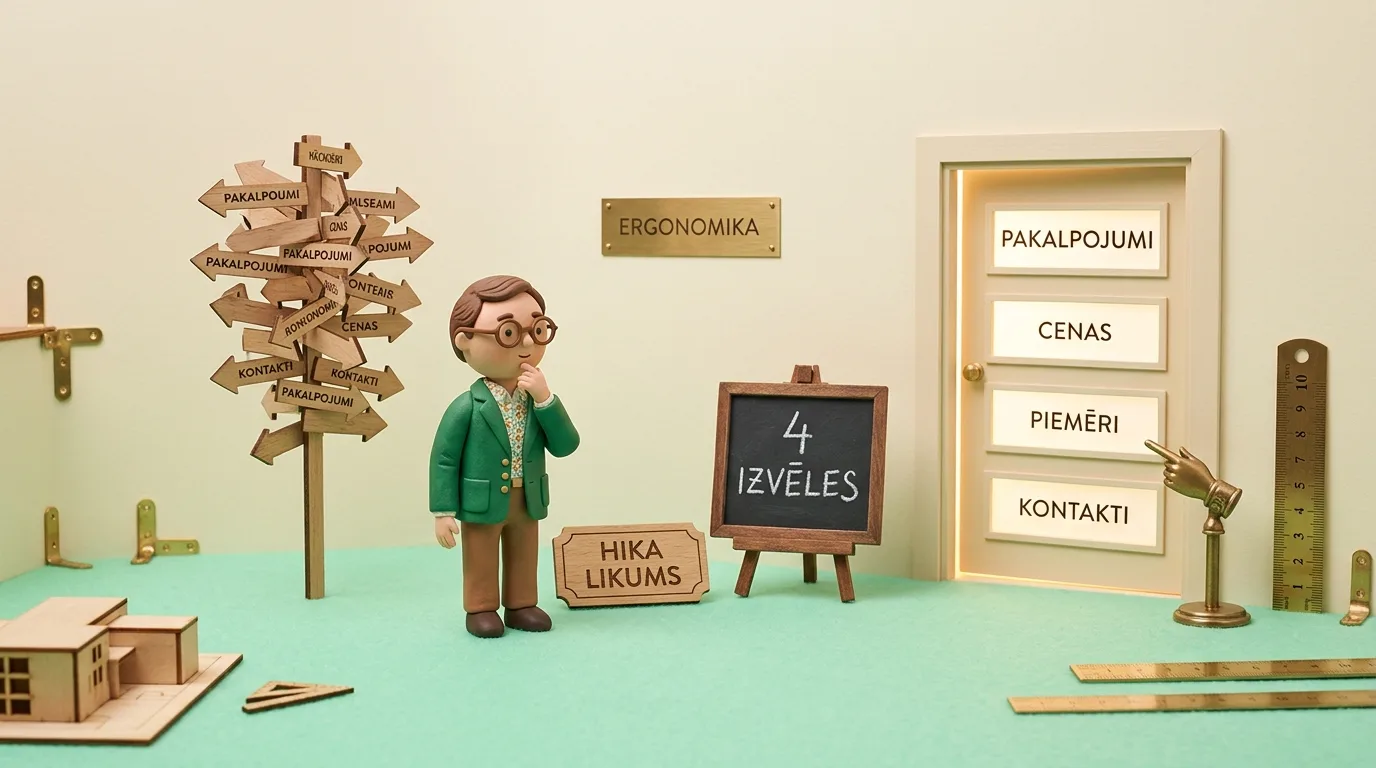
Most business websites suffer from -cognitive overload- syndrome. Fearing that a potential client might miss something, companies cram 10 to 15 different links, three-level dropdowns, and conflicting calls to action into the main menu. The result is psychological decision paralysis. Hick-s Law, a well-known principle in psychology, proves that every additional choice exponentially increases decision-making time and dramatically raises bounce rates. In this guide, we analyze why modern B2B and service websites must reduce navigation to the golden 4-element standard and how a thoughtful choice architecture directly increases the number of business inquiries.
Decision Paralysis and the Costly Illusion of Overcrowded Menus
When a company orders a new website, internal discussions usually involve several department heads: sales wants their own section, HR demands vacancies in the main bar, the service department insists on an FAQ link, and management wants to showcase the company-s 20-year history. The result is a massive, cluttered menu with dozens of sub-sections where the visitor immediately gets lost.
Modern website development and cognitive architecture teach a completely different approach: the website visitor hasn-t come to read your corporate archive. They have arrived with a specific problem and want to understand within 3 seconds whether you can solve it and how much it will cost. Overloaded navigation creates cognitive friction, forcing the user to close the tab and look for a simpler alternative among competitors.
To see how real users interact with your main menu, it is worth performing user behavior and UX analytics, which clearly shows through click heatmaps and session recordings which links people never actually touch.

"Business owners often want to display absolutely everything their company does in the main menu, fearing that the client might miss something. However, the human brain functions the opposite way: the more equivalent doors you open, the more likely the visitor is to get confused and leave. The goal of primary navigation is not an encyclopedic table of contents, but the straightest and easiest highway to a conversion."
What is Hick-s Law and How It Works in Web Interfaces
Hick-s Law was formulated in 1952 by psychologists William Hick and Ray Hyman. It describes the time it takes for a person to make a decision based on the number of available alternatives. Mathematically, this relationship is expressed by the formula:
T = b · log2(n + 1), where T is the reaction time, n is the number of alternatives, and b is an empirical constant.
In simple terms: decision-making time increases logarithmically with the number of options. If a user is presented with 2 clear choices, the brain makes a decision lightning-fast (under 200 milliseconds). However, if 12 menu items, 4 banners, and 3 different action buttons appear on the screen simultaneously, the brain experiences overload. The person starts analyzing every option, loses energy, and most often chooses the simplest path: choosing nothing and closing the page.
Miller-s Law on Cognitive Capacity: 7 vs. 4 Elements
Historically, designers often referred to George Miller-s 1956 study on human short-term memory capacity, which set the limit at 7 +/- 2 units. However, modern cognitive neuroscience research in the digital environment shows that under conditions of constant information overload, human working memory can only effortlessly hold approximately 4 information blocks (Chunking) at once.
As soon as the main menu of a website contains more than 4 or 5 primary directions, the user can no longer perceive them in a single glance. They have to perform targeted visual -scanning- work. This is the exact opposite of the effect we want to achieve: the interface should be invisible and instantaneous.
Traditional Overcrowded Menu vs. the Golden 4-Element Standard
To clearly see the difference between the outdated -everything in- approach and modern decision architecture, let-s look at the comparison in the table below:
| Navigation Dimension | Traditional Overcrowded Menu | Hick-s Law Compliant 4-Element System |
|---|---|---|
| Number of Header Elements | 8 to 15 links with dropdown lists | Exactly 4 concise blocks + 1 clear CTA button |
| Cognitive Load | High (visitor forced to read and compare) | Minimal (perceivable in a fraction of a second) |
| Mobile Ergonomics | Heavy -hamburger- menu with 4 sub-levels | Clean, convenient touch-friendly list in the thumb zone |
| Path to Conversion | Complex and fragmented | Straight, intuitive, and obstacle-free |
| Bounce Rate | High due to navigational frustration | Low due to immediate clarity and flow |
| Impact on Conversions | Leads scattered or lost | Focused increase in inquiries and calls by 25% to 40% |
The Golden 4-Element Standard for B2B and Service Websites
How should you structure primary navigation to meet the needs of all 4 buyer pyramid groups without creating chaos? A proven solution is the Golden 4-Element System, which satisfies 98% of visitor needs:
1. Services (Solutions): A simple link that groups the main directions. There is no need to bring every detail into the main bar: one clear section where the client finds the most suitable service is sufficient.
2. Pricing or Quote Calculator: This is the most searched section on any commercial site. Hiding prices is a major mistake. Even if projects are individual, indicate a -Starting from- base price or include a 3-step calculator.
3. Case Studies and Results: The client needs to see real proof: completed projects, before/after comparisons, or real client testimonials. This section breaks down doubts and proves competence.
4. About Us and Contacts: People buy from people. A short company story, team photos, credentials, and direct contacts without long forms.
+ One Dominant CTA Button: There should always be one clear, contrasting button in the top right corner in an emerald green tone, for example, Book a Consultation -> or Calculate Quote ->. As our analysis of user behavior heatmap audits shows, this single button attracts 60% of all targeted clicks.
Cognitive Ergonomics of the Sticky Header
Another common navigation error is a static, heavy header that remains at the top of the screen during scrolling. If this bar is 100 pixels high and contains two rows of contacts and a menu, it takes up nearly a quarter of the visible area on a mobile phone. The user feels trapped in a narrow window.
The modern standard is the Smart Shrinking Header. When the user scrolls down, the header either gently hides or shrinks to a minimalist 48-pixel height, leaving only the company logo and one conversion button. If the visitor starts scrolling back up, the full menu seamlessly returns. This provides cognitive peace and total focus on the content.
Breadcrumbs Instead of Deep Menus
If a company has a multi-level service catalog or a vast archive of articles, trying to reflect all of it in the main menu is fatal. Instead, you should implement structured Breadcrumbs directly above the page title (e.g., Home -> Services -> Industrial Painting).
Breadcrumbs fulfill two fundamental tasks: first, they provide the user with immediate spatial orientation, allowing them to return to the category level with one click. Second, they provide search engines with precise Schema.org hierarchy markup, which displays an attractive and trustworthy link path in Google search results.
Where to Put the Rest of the Information (The Role of the Footer)
A frequent question from business owners is: -But where should we put the privacy policy, vacancies, certificates, and news?- The answer is the Website Footer and internal content links.
The website footer is designed for skeptics, lawyers, and those looking for specific administrative data. A person looking for a vacancy or a company registration number instinctively scrolls to the very bottom of the page and finds it there without difficulty. These links must not clutter the header, which should be 100% dedicated to attracting new clients. On mobile phones, special attention should also be paid to button placement, which we discuss in detail in our study on mobile ergonomics and thumb zone principles.
Case Study: How Simplifying Navigation Increased Inquiries by 34%
On the website of an industrial equipment service company, the main menu historically contained 11 different links: each equipment type, warranty service, spare parts, about the company, certificates, news, gallery, and contacts. A click audit showed that 8 of these links received less than 2% of clicks over a month, while the bounce rate on the first screen exceeded 68%.
We performed a complete navigation restructuring based on Hick-s Law: all equipment and spare parts were combined into one clear section -Equipment Service-, the gallery and certificates were integrated as social proof in the -Our Work- section, and news was moved to the footer. Only 4 elements and an emerald green -Request a Technician- button remained in the header. The result after 30 days: the bounce rate was cut in half, and the total number of submitted inquiries increased by 34% without changing the advertising budget.
5-Step Navigation Cleanup Protocol
To safely reduce your menu and increase conversion rates, follow these 5 steps:
- Menu Click Audit: Check your analytics tool and heatmap for the last 90 days. Identify menu links that receive clicks from less than 3% of visitors.
- Move Administrative Links: Immediately move sections like -Vacancies-, -Our History-, -Certificates-, and -Privacy Policy- to the footer.
- Consolidate Similar Services: If you have 6 separate services in the main bar, combine them into one logical -Services- section with a clear overview page.
- Implement a Unified CTA Button: Ensure there is only one action button in the main bar with a clear message and strong visual contrast.
- Conversion Monitoring Audit after 30 Days: After simplifying navigation, compare the number of inquiries: you will see the bounce rate decrease and overall funnel throughput increase.
Navigation and Hick-s Law Compliance Check
Frequently Asked Questions about Website Menus
Will reducing navigation hurt the website-s SEO rankings?
No, quite the opposite. Too many links in the main menu dilute the website-s internal authority weight (PageRank). By concentrating the main navigation on the most important service pages, you clearly signal to search engines which sections are your company-s priorities, while simultaneously improving usability metrics.
What should companies with a very wide range of services do?
If you have 20 different services, group them into 3 to 4 logical categories. Place only these core categories in the main menu or a single -Services- link that leads to a clear visual catalog with search options and filters.
Is it mandatory to keep the -About Us- link in the main menu?
In B2B industries and complex services, the -About Us- section is often the third most visited page because buyers want to verify the company-s reputation before closing a large deal. Therefore, it is worth keeping this link, but its content should focus on building client trust rather than empty self-praise.
Want to increase the number of high-quality leads without raising your ad budget?
Book a 15-minute call. Let-s transform your lead funnel by removing friction and refocusing on a real value proposition.
Fixed budget. No hidden extra costs or forced services.