

A clean server configuration without plugin clutter remains MarketMeNow's core engineering principle: Hetzner VPS, Nginx, strict file permissions, and a UFW firewall guarantee maximum protection without unnecessary processes slowing down website speed. Explore our server maintenance and security services.
WordPress powers over 43% of all websites globally, making it a primary target for automated hacker bots. The typical admin response is to install two or three heavy 'security plugins' that continuously scan files, overload the database, and slow down page load times by several seconds. The best and most professional approach is to protect the system at its core - server configuration and code level.
Key Takeaways
- The Plugin Paradox: Massive 'all-in-one' security plugins consume significant server resources and often contain vulnerabilities themselves; 80% of security can be achieved at the server level.
- File and Directory Permission Security: Server files should be set to 644, directories to 755, and the wp-config.php file to 600 or 640 mode to prevent external processes from injecting malicious code.
- Disabling XML-RPC: Over 90% of brute force attacks on WordPress sites target the outdated xmlrpc.php file, which can be blocked with a single line in Nginx configuration.
- Two-Factor Authentication (2FA): Implementing 2FA for admin accounts virtually eliminates the risk of breaches via stolen or guessed usernames and passwords.
Why Heavy Plugins Harm and Why Website Speed Optimization Requires Clean Code
Plugins like Wordfence or iThemes Security offer a convenient graphical interface, but they operate at the WordPress application level. This means that when a bot launches hundreds of attacks per minute, WordPress and PHP are executed repeatedly to fend off these attacks. As a result, server CPU usage spikes to 100%, and regular visitors experience a '504 Gateway Timeout' error.
The right solution is to block attackers before the request even reaches PHP and WordPress - at the web server (Nginx or Apache) and firewall level.
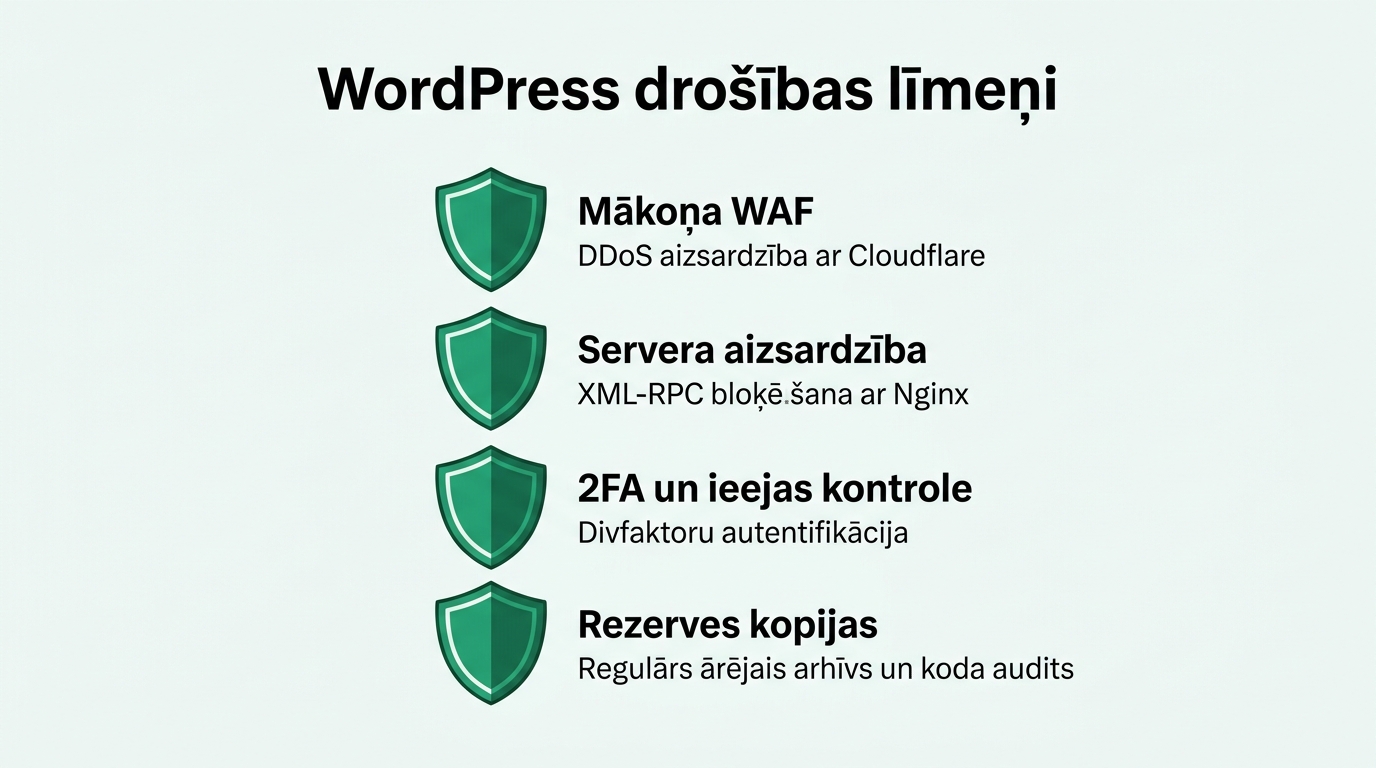
The Security Foundation: Reliable Website Maintenance and Server Security
By implementing these five steps, your website becomes secure against 99% of standard attacks:
1. Block access to xmlrpc.php: The XML-RPC protocol was created a decade ago for external applications, but today it primarily serves brute force and DDoS attacks. Add the following to your Nginx configuration block:
location = /xmlrpc.php { deny all; access_log off; log_not_found off; }
2. Protect wp-config.php and hidden files: The wp-config.php file stores your database credentials and security keys. Ensure this file cannot be accessed via a browser and that its file permissions are set to 600 or 640.
3. Disable PHP execution in /wp-content/uploads/: The uploads directory is intended strictly for images, PDFs, and other media files. Hackers often try to upload malicious .php scripts there. Block PHP execution in this directory with a server rule, preventing any code execution.
4. Hide the WordPress version: By default, WordPress inserts a meta tag with the exact version number in the site source code, allowing automated scanners to immediately identify vulnerable versions. Remove this tag in your theme's functions.php file.
5. Limit wp-login.php attempts with Fail2ban: Fail2ban, a server-level security tool, automatically blocks an attacker's IP address at the firewall level for 24 hours after five failed login attempts.
File System Permissions Matrix
Ensure that file and directory permissions on your server comply with the strictest security standards:
| File or Directory | Recommended Permissions | Owner | Security Purpose |
|---|---|---|---|
| All standard directories (/wp-content/) | 755 (drwxr-xr-x) | www-data:www-data | Only the web server can write, others can only read |
| All standard files (.php, .css) | 644 (-rw-r--r--) | www-data:www-data | Files are not executable as programs |
| wp-config.php | 600 or 640 | www-data:www-data | Complete database password isolation from other users |
| .htaccess or nginx.conf | 644 or 444 | root:root | Protection against overwriting server configuration |
Two-Factor Authentication (2FA) and Security (Complemented by Our Guide on How Plugin Overload and Heavy Design Kill Speed)
Even the strongest server security won't help if the admin password is 'Admin2023!'. Make two-factor authentication (2FA) mandatory using a reliable, lightweight authenticator app (such as Google Authenticator or Bitwarden). This way, even if an admin's computer is compromised, an attacker cannot log in without the time-based code from their phone.
Frequently Asked Questions
Are WordPress updates important, and how does professional WordPress website development address them?
Yes, over 85% of successful attacks exploit outdated plugins or themes that have long had security patches available. Enable automatic security updates.
Should you change the wp-login.php URL to something else?
Changing the URL (Security through Obscurity) helps reduce load caused by basic bots, but it does not replace true server-level protection and 2FA.
How often should database backups be created?
For active websites and e-commerce stores, database backups should run automatically at least once a day, storing backups in an independent external cloud storage.
Conclusion and Next Steps
Security is not a standalone plugin you turn on and forget; it is a systematic discipline. By implementing Nginx protection rules, structuring file access permissions, and disabling unnecessary protocols, you make your website bulletproof while preserving maximum load speed.
Want to free your WordPress site from bloated plugins and ensure server-grade security?
Schedule a 15-minute call. Let's discuss migrating your site to a fast VPS with custom Nginx security rules.
Fixed budget. No hidden fees or forced upsells.