
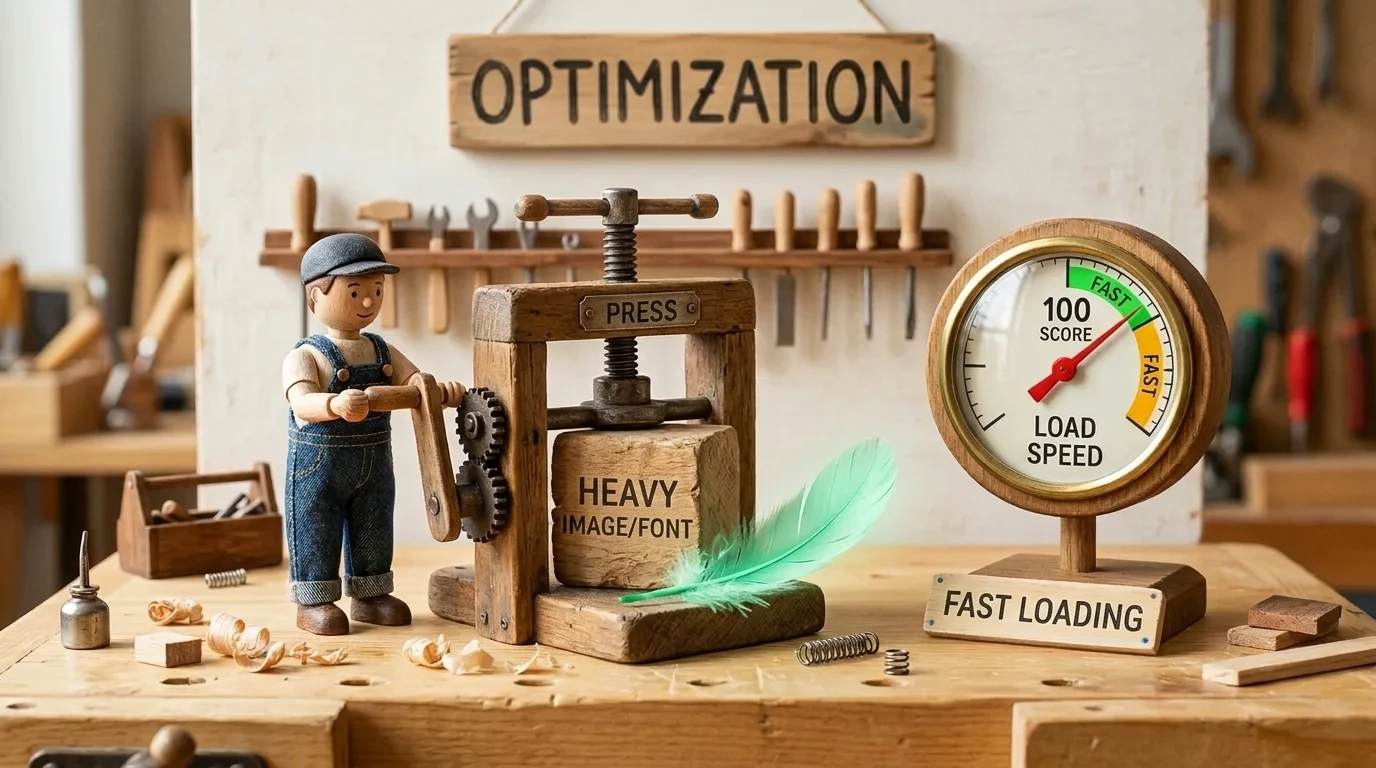
Image and font optimization in 2024 helped improve Core Web Vitals scores. In 2026, modern WordPress sites use exclusively local WOFF2 fonts, lightweight image formats, and server micro-caching to achieve instantaneous load times under 400 milliseconds. Learn more in our website development services.
Google officially uses Core Web Vitals as part of its ranking signals. However, many business owners still face a situation where their website loads instantly on desktop, but Google PageSpeed Insights flashes a red zone rating below 50 points on mobile. The main culprit is almost always the same: massive, unoptimized image files and render-blocking custom web fonts loaded from external resources that cause layout shifts. By properly optimizing these two elements, mobile performance scores can be pushed into the green zone (90+ points) without rewriting the entire website.
Key Takeaways
- Most page weight comes from unoptimized media: Images and custom web fonts account for an average of 70% to 80% of total web page payload size.
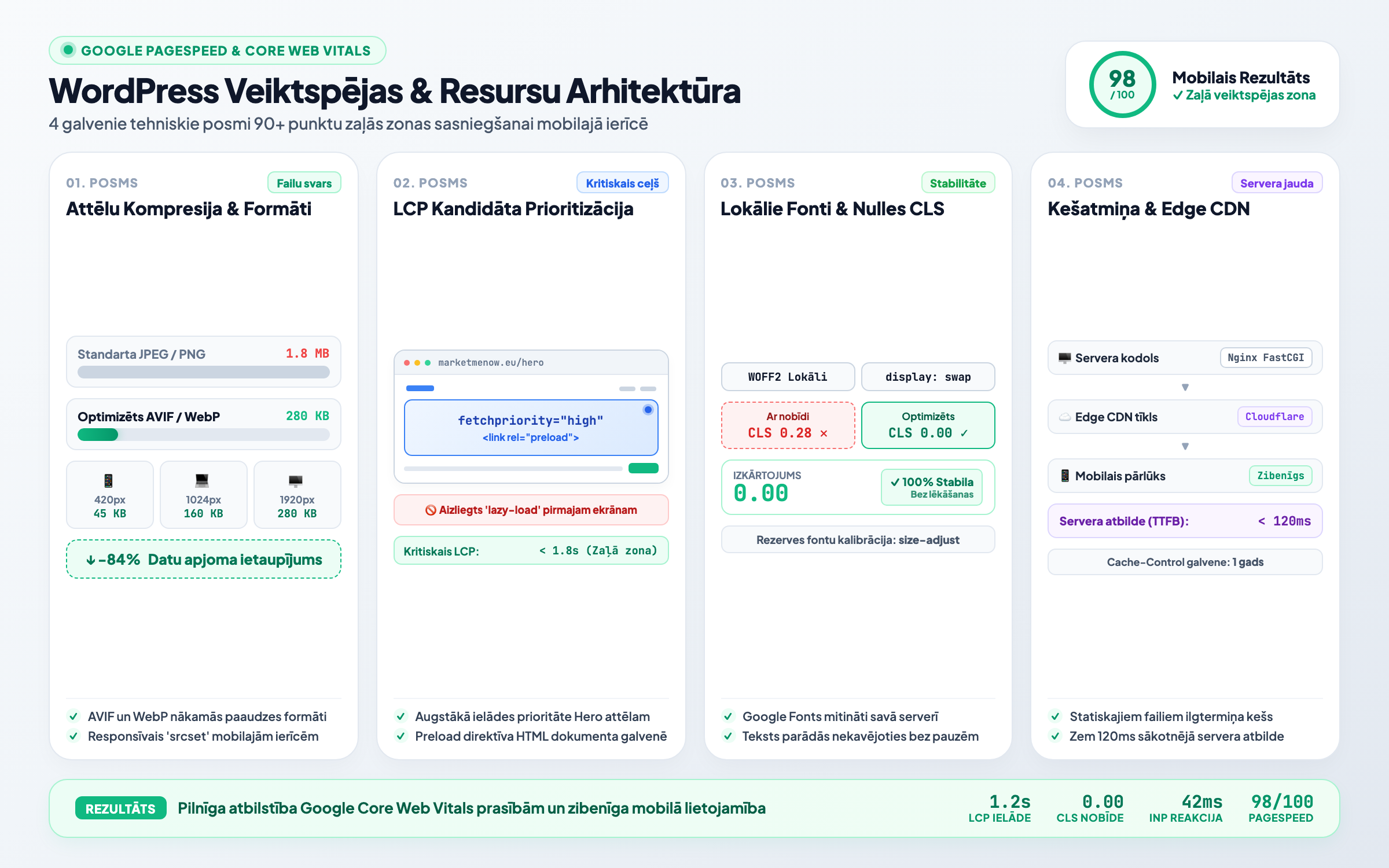
- Switching to AVIF and WebP formats: Next-generation formats reduce file sizes by 50% to 80% compared to traditional JPEG and PNG files while maintaining crisp visual quality.
- Never lazy-load your LCP candidate: The main hero image above the fold must use fetchpriority='high' to ensure it loads immediately.
- Locally hosted WOFF2 fonts eliminate CLS and delays: Fetching Google Fonts from third-party servers adds extra DNS lookups and delays text rendering.
Image Optimization: From JPEG to Next-Gen AVIF and WebP
Traditional JPEG and PNG formats were created when internet speeds and screen resolutions were vastly lower. Today, WebP and the even more efficient AVIF format are standard in web development. AVIF can achieve up to 30% higher compression than WebP, delivering superior sharpness at the exact same file size.
However, simply converting image formats is not enough. Serving appropriately scaled images is equally critical. A mobile browser with a screen width of 400 pixels should never download a 2500-pixel-wide photograph. HTML responsive image attributes srcset and sizes automatically serve the most suitable image size for the user's device.
LCP (Largest Contentful Paint) Rescue Plan
The most common mistake made by WordPress plugins is indiscriminately applying lazy loading to every image on the page. If your main hero background image or primary product photo is lazy-loaded, the page's LCP metric degrades dramatically.
| Element | Outdated Practice | Modern Solution | Test Result |
|---|---|---|---|
| Hero image above the fold (LCP) | loading='lazy' on all images | fetchpriority='high' and head preload | LCP time reduced by 1.5 - 2.5 seconds |
| Content images below the fold | Heavy original JPEG files | Automated AVIF/WebP generation | Page weight reduced from 4MB to 800KB |
| Web fonts | Google Fonts CDN with third-party requests | Local WOFF2 files with font-display: swap | Eliminated render-blocking time |
| Layout stability | Missing width/height attributes | Fixed proportions (aspect-ratio) | CLS score drops to 0.00 (ideal) |
Proper performance optimization is an essential component built into modern website development. To ensure all technical parameters meet search engine requirements, a regular technical SEO audit is strongly recommended.
Local Font Hosting and Eliminating CLS
When a website loads Google Fonts via an external link (fonts.googleapis.com), the browser must make additional HTTP connections to third-party servers. This introduces latency during which text either remains hidden (FOIT - Flash of Invisible Text) or suddenly shifts font families, triggering Cumulative Layout Shift (CLS).
The solution is straightforward:
1. Download fonts in WOFF2 format: WOFF2 is the most advanced and compact web font format supported by all modern browsers.
2. Host fonts locally on your server: Serve fonts directly from your domain and apply the CSS directive 'font-display: swap;' so a system fallback font renders text instantly while your custom font loads in the background.
As analyzed in our article on how INP officially replaced FID as a Core Web Vitals metric, browser responsiveness and smooth user interaction depend directly on keeping the underlying codebase clean and lightweight.
If you want to accelerate your WordPress website load times and eliminate technical performance bottlenecks, reach out to our development team via MarketMeNow technical support.
Frequently Asked Questions
Do all browsers support the AVIF image format?
Currently, AVIF is supported by over 93% of global web browsers (Chrome, Safari, Firefox, Edge). For legacy browsers, use the HTML <picture> element with an automatic fallback to WebP or JPEG.
Why do 'one-click speed optimization' plugins often break website design?
Aggressive JavaScript minification/combination and deferred CSS can disrupt script execution order. Achieving optimal performance requires tailored manual configuration for your specific theme.
What is the ideal target file size for website images?
Primary hero images should ideally remain between 120 and 180 KB, while standard content illustrations and icons should stay within 30 to 70 KB.
Conclusion
Website speed is far more than a technical vanity metric - it directly impacts your bottom line. Every second saved improves user experience, lowers bounce rates, and helps secure higher rankings in search engine results pages.
Want your WordPress website to load instantly and achieve green scores on PageSpeed tests?
Book a 15-minute technical consultation. We will optimize site caching, font loading, and image formats without bloated plugins.
Fixed budget. No hidden fees or forced upsells.