
This is the 6th and final lesson of the MarketMeNow 6-part SEO course. Page loading speed has a direct correlation with conversions and user retention. Our custom-built websites load instantly (<400ms). Learn more in our speed optimization and web development service.
Every year, website loading speed becomes an increasingly crucial SEO factor. A major milestone in this regard occurred in May 2020, when Google officially announced that website loading speed would become an essential SEO optimization factor starting in May 2021. Since then, all SEO specialists have become familiar with a new term - Core Web Vitals.
Website loading speed is a critical ranking and conversion factor: every tenth of a second a visitor waits reduces lead generation. The primary speed optimization steps include image compression into WebP/AVIF formats, eliminating redundant JavaScript and CSS code, configuring caching at the server level, and avoiding heavy visual page builders.
What are Core Web Vitals?
This is a metric and SEO factor that measures website loading speed, page responsiveness to various user interactions, and visual stability. In essence, it measures how pleasant and convenient a website is for visitors to use.
Google has combined these website performance factors with the HTTPS protocol (covered in the previous SEO course chapter), mobile friendliness, and a few other factors, referring to them as "page experience signals," which are now an essential part of website speed optimization and technical SEO.
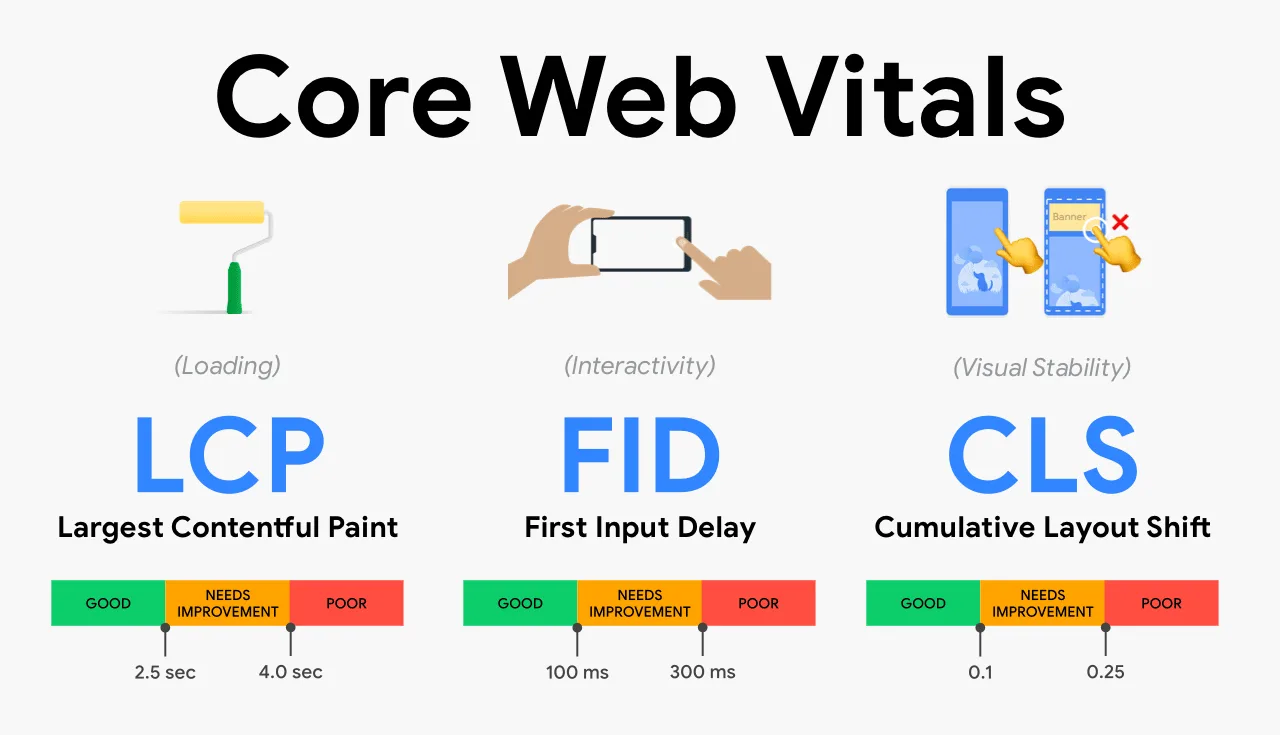
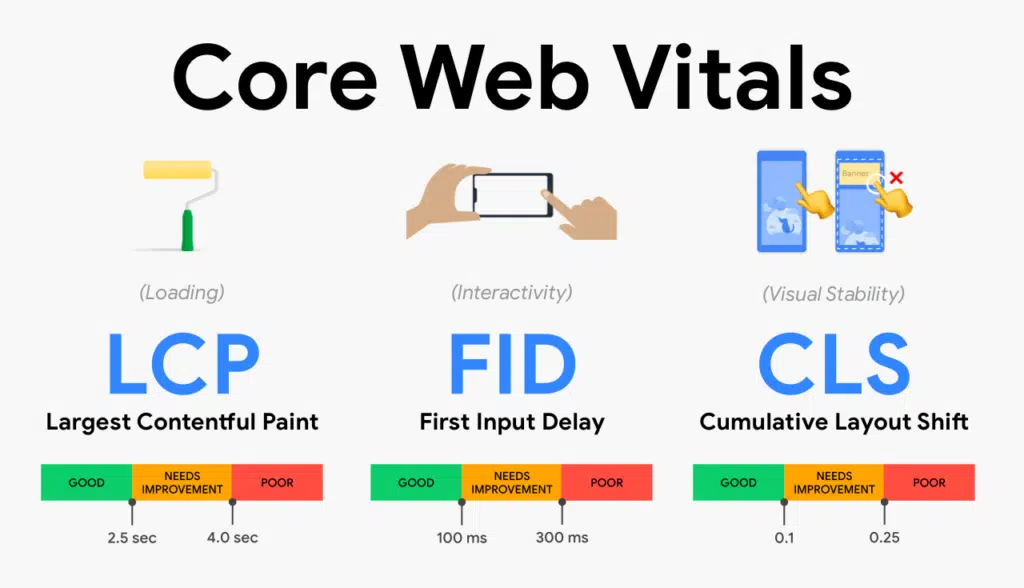
As shown in the image above, Core Web Vitals consist of 3 components:
- LCP (Largest Contentful Paint) - measures loading performance.
- FID (First Input Delay) - measures interactivity.
- CLS (Cumulative Layout Shift) - measures visual stability.
LCP - Largest Contentful Paint

Simply put, this is a metric that evaluates the loading speed of a website's main content. Previously, you may have heard developers or SEO audits mention issues like DOM or DOMContentLoad. This is quite similar, except Google states it is a much simpler metric that looks at the render time of the largest visible image or text block. In other words, if a website features a large, heavy image, video, or any other background that takes a long time to load, it is a problem.
Similarly, if a website contains a large amount of render-blocking JS or CSS solutions, or if your site relies on client-side rendering, you may need to dedicate resources in the coming months to improve your LCP score so that your website better aligns with Google SEO guidelines.
FID - First Input Delay
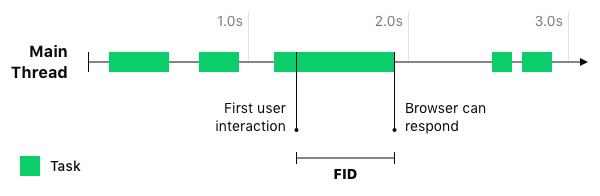
When web pages load in a browser, users generally expect that once visual elements appear, such as a button, image, or toolbar, the page is immediately ready to respond to their next request.
Users expect to be able to click a button or scroll down the page even if it appears to still be loading. Users quickly become frustrated if the reality of their browsing experience does not meet these expectations and the website fails to respond immediately to specific actions.
The reality is that browsers often cannot respond because they are busy processing heavy JavaScript that controls page functions. While the browser is processing this file, it lacks the necessary resources to respond to subsequent user requests.
First Input Delay (FID) helps identify this potential user frustration. It is important to note that FID does not measure event processing time or the time required to render layout or content changes, but strictly measures the processing delay of a user-initiated event.
CLS - Cumulative Layout Shift
Surely everyone has visited a website where the content suddenly jumps up or shifts down? Sometimes multiple elements move, or the movement happens repeatedly.
It almost feels like the layout changes every time something new loads on the page. Finally, Google defines this issue as a poor user experience.
Google published this video illustrating this exact experience:
This is a great video showing how initially only part of the page loads, displaying the product purchase count and asking the user to confirm. Realizing something is amiss, the user tries to click "No, go back," but at that exact moment, an advertising banner loads and the entire page shifts downward, causing the user to click "Yes, confirm." We can only imagine the user's frustration and their rating of the website experience after this incident.
So, how do we understand and solve this problem? Essentially, resources and content are loaded onto the page after and on top of existing content. Perhaps an image is too large and loads only after the core content is in place. Maybe an ad shifts the content down after everything else on the page has loaded. Perhaps a sidebar menu pushes the main content to the right and so on. All of these are examples of layout instability, which are counted toward Cumulative Layout Shift and measured by a score based on the sum of all unexpected layout shifts.
How to Analyze Your Website?
Now that it is clear what Core Web Vitals are and how they work, what is next? How do you evaluate your own website and figure out what needs fixing? First, you can log into your Search Console account to view your site's performance data. Keep in mind that results here are only visible for larger websites; smaller sites will need to use the PageSpeed Insights tool.

The tool will precisely display all website issues, evaluating user experience scores separately for mobile and desktop versions. As shown in the image, the desktop version of our MMN website is flawless. Mobile ratings are always lower, which is normal since optimizing mobile versions is more challenging.
As you can see, the tool measures not only FID, LCP, and CLS but also other metrics. Clicking on each specific factor reveals a more detailed report with potential improvements and granular metric analyses. Essentially, it serves as a troubleshooting guide for web development specialists, from whom you can request fixes for these issues.
Frequently Asked Questions About Website Speed and Performance
What is the acceptable page loading time on mobile devices?
The ideal mobile network loading time is under 1.5 seconds (LCP under 1.2s), and system response time should fall within the Doherty threshold of under 400ms.
Which elements typically slow down a WordPress site the most?
The most common culprits are massive unoptimized images, dozens of redundant plugins, and heavy visual page builders (Elementor, Divi) that generate thousands of unnecessary lines of code.
How do you correctly measure website speed using Google PageSpeed Insights?
Test both mobile and desktop versions and pay attention to real-world Core Web Vitals field data (LCP, INP, CLS) rather than relying solely on synthetic scores.
Want to speed up your website to 99-100 PageSpeed points?
Book a 15-minute consultation. We will run a speed audit and help make your website lightning fast.
Fixed budget. No hidden fees or forced upsells.