
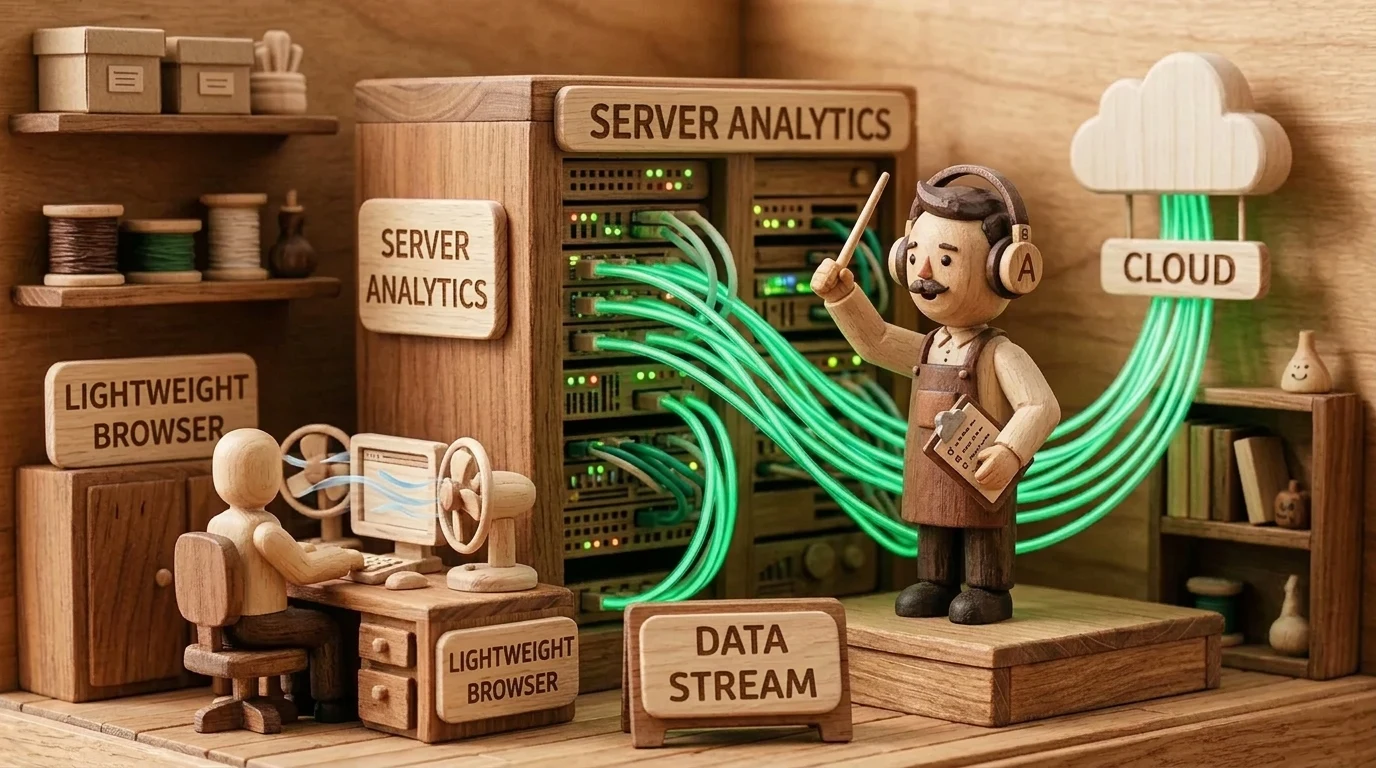
Implementing server-side data streams (sGTM) was a priority for modern marketing teams in 2024. In 2026, sGTM has become the industry gold standard, guaranteeing clean browser performance, protecting user privacy, and ensuring 100% accurate signals for advertising platforms. Learn more in our sGTM analytics services.
For years, the standard way to implement analytics and ad tracking on websites was simple: every new tool meant another JavaScript library added to the page header. Facebook Pixel, Google Ads Conversion Tracking, TikTok, Hotjar, LinkedIn Insight Tag - each of these consumes CPU power, slows down loading, and competes for space in the browser. With increasing browser privacy restrictions and stricter Core Web Vitals standards, this model is becoming risky. Server-Side Tracking offers an elegant and modern solution: one lightweight signal from the browser to your server, which then processes and distributes the data to all end tools.
Key Takeaways
- Browser Offloading (Client-Side vs Server-Side): By moving heavy Meta, Google, TikTok, and LinkedIn pixels to a cloud server, website JavaScript volume is reduced by 30 to 50%.
- First-Party Domain Advantage: Data is sent to your own subdomain (e.g., data.yourcompany.com), preventing browser blocking and extending cookie expiration periods.
- Full Data Control and Security: Before sending data to ad networks, a company can filter sensitive information, remove personal data, or anonymize IP addresses.
- Unmatched Conversion Accuracy: Server-to-server connections eliminate network errors and the impact of ad-blockers, ensuring up to 20% more recorded purchases.
How Server-Side Google Tag Manager Works
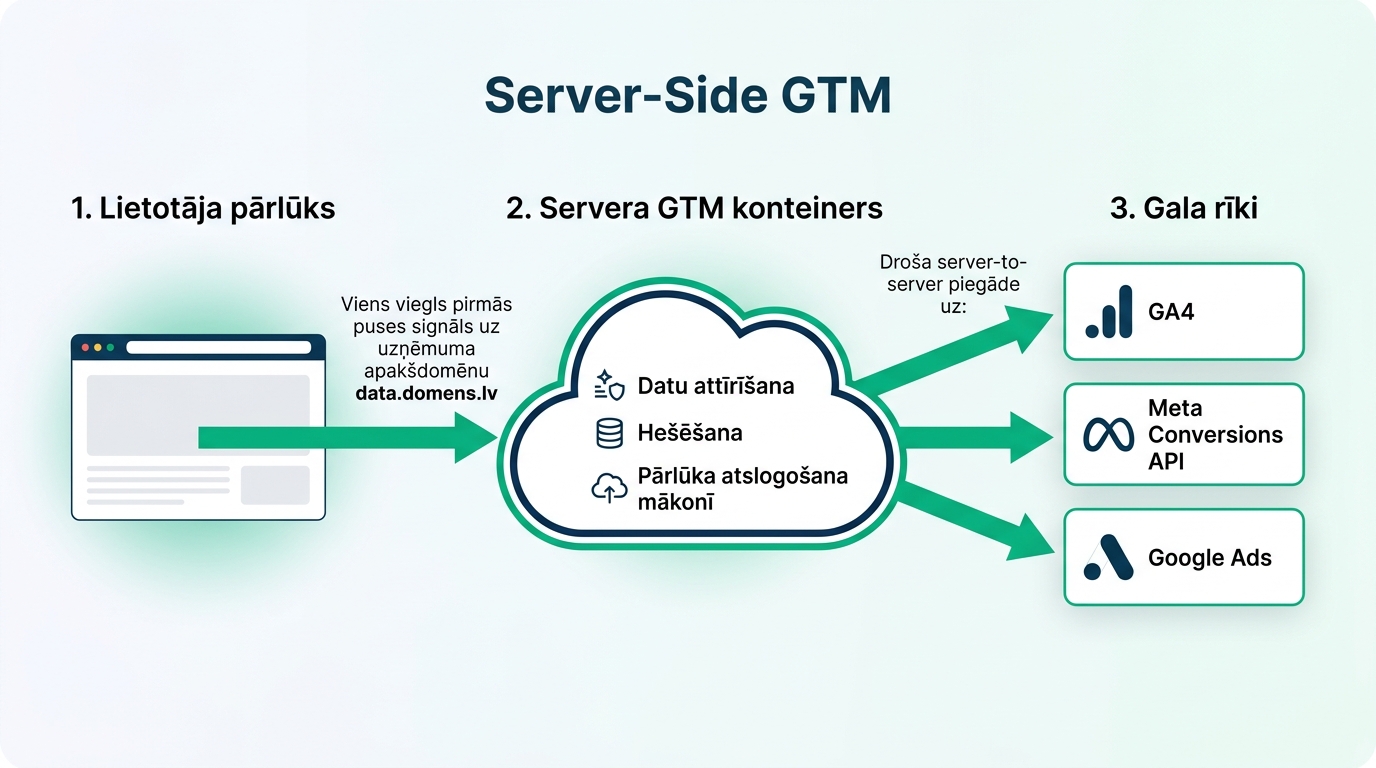
In the traditional model, the visitor's browser sends a separate request to each service. If a user buys a product, their computer simultaneously sends purchase information to Google, Meta, Pinterest, and email systems. This creates massive network load and exposes data to browser blocking risks.
In the Server-Side model, the website sends only a single data packet to the company's server container (for example, via Google Cloud or an independent server). This server is located behind your own domain (for example, data.marketmenow.eu). The server container receives the data, validates it, removes sensitive information, and then sends it to GA4, Meta CAPI, and Google Ads via a 'server-to-server' connection. The browser is not even aware of these endpoints' existence.
Four Key Business Benefits
Switching to server-side tracking provides tangible improvements:
| Benefit | Classic Browser Model | Server-Side Model | Business Impact |
|---|---|---|---|
| Loading Speed | 5-10 external scripts block the main thread | One optimized data request | Better INP and LCP scores |
| Cookie Lifespan | Safari and Firefox limit to 1-7 days | First-party server cookies last for months | Accurate repeat purchase attribution |
| Data Protection | Pixels can read redundant info from the DOM | Company fully controls what to pass on | Secure compliance with GDPR and DMA |
| Signal Resilience | Ad-blockers and browser protection block up to 25% | Server-to-server connections cannot be blocked in-browser | Campaigns receive full conversion data |
This technology has become the gold standard, especially in e-commerce, where every recorded conversion matters. It integrates perfectly with modern Server-Side CAPI solutions.
Practical Steps for Setting Up a Server Container
To correctly implement server-side analytics, it is recommended to follow this plan:
1. Create a Server container in the Google Tag Manager panel: Select 'Create Container' with the type 'Server'. Google offers automatic linking with Google Cloud Platform (GCP), but flexible European cloud servers also work great for smaller sites.
2. Set up a Custom Domain: Add an A or CNAME record in your DNS settings (for example, metrics.your-company.com) pointing to the server's IP address. This ensures all requests are treated as 1st-party.
3. Connect with GA4 and ad platforms: Configure the Google Tag in the Web container to send data to the new subdomain. In the server container, activate the 'GA4 Client' and add tags for Google Analytics 4 data analytics and Google Ads conversion tracking.
As we explained in our review of how accurate ad analytics and consent mode work, server-side architecture provides the foundation for secure and reliable future growth.
Frequently Asked Questions
How much does server maintenance for Server-Side GTM cost?
GCP offers a free testing threshold, but for a real production environment, costs typically range from 15 to 60 euros per month depending on the number of site visitors and event volume.
Does Server-Side completely replace the web GTM container?
No, the web container is still necessary to read user clicks, form submissions, and page scrolling. However, it no longer sends data directly to ad networks, but only to your server.
Is this legal under GDPR?
Yes, and it is even more secure! Server-Side allows you to remove user IP addresses and delete personal data before sending it to third-party US servers.
Conclusions
Server-side tracking is the most significant step in ensuring website data independence. It protects your marketing investments from browser blocking, ensures lightning-fast site loading, and provides algorithms with the most accurate signals for growth.
Want a clean browser and 100% control over data with sGTM?
Book a 15-minute call. We will configure an independent server-side data container for precise advertising and analytics performance.
Fixed budget. No hidden extra fees or forced services.