

Ad extensions (now officially called Assets) are dynamically generated and selected by AI in 2026. However, human control over sitelinks, promotions, and phone numbers still determines whether your ad captures maximum screen real estate at the top of search results. Learn more in our Google Ads optimization section.
In search auctions, every pixel counts. Two companies can bid the same amount for the same keyword, yet one ad will occupy a small, inconspicuous two-line space, while the other dominates half the mobile screen with sitelinks, call buttons, pricing, and promotional offers. This massive difference is driven by Ad Assets (formerly extensions). Properly configured assets not only boost click-through rates (CTR) by 15-30%, but they also directly increase your Ad Quality Score, lowering your actual cost-per-click.
Key Takeaways
- Screen Dominance: A full set of assets makes your ad twice as large, pushing competitors below the fold.
- Higher Ad Rank: The Google algorithm considers the predicted effectiveness of assets in auctions; a strong set allows you to win with a lower bid.
- Direct Path to Conversion: Using call and sitelink assets allows customers to place orders or contact you without navigating your website.
- The Power of Image Assets: Adding a visual product image to your text ad increases CTR by an average of 10-15%.
Four Essential Assets Every Campaign Needs
The Google Ads system offers a wide range of assets, but every business must activate at least these four key types:
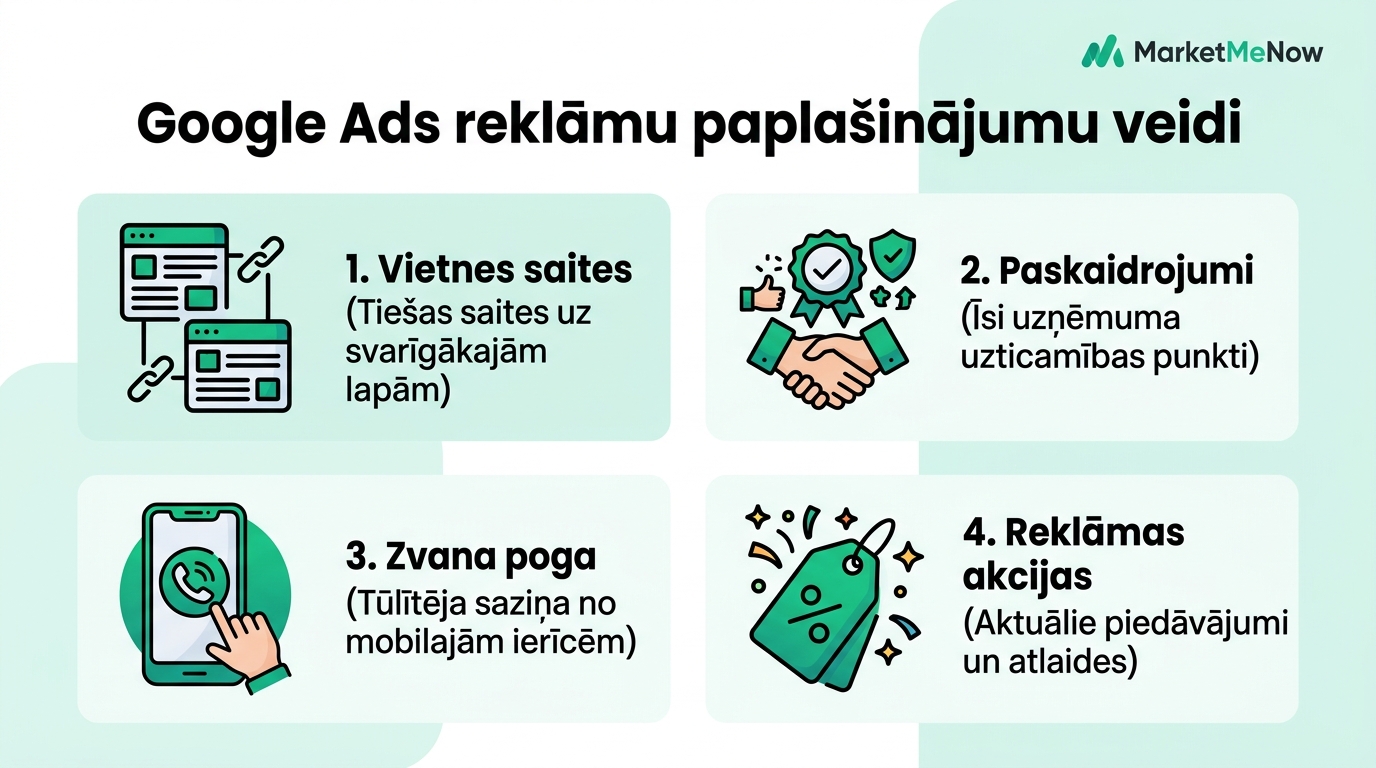
Practical Hacks and Configuration Tips
Sitelinks with Descriptions: The biggest mistake is adding only the link title without the two description lines. When Google chooses to show your full ad in the top position, these descriptions provide massive visual weight and credibility.
Callouts as Quick Arguments: Use these short snippets to highlight specific benefits: "24h Delivery," "Official 3-Year Warranty," or "Over 500 Models in Stock."
Call Button for Local Services: If your business provides urgent services (repairs, emergency assistance, medical), the call asset allows mobile users to contact you with a single tap.
Image Assets: Use high-quality, square-format photos with good contrast and no unnecessary text. Ads with real product images in search results catch the eye much faster than plain text.
Video Guide on Using Image Assets
Watch this professional video guide from Paid Media Pros on how to properly prepare and set up visual assets for search ads:
How to Keep Assets Fresh and Relevant
Never leave outdated information in your assets. If you have had a Christmas sale or spring discounts, set an end date for those assets so the system automatically stops showing them once the campaign concludes.
A well-thought-out ad structure and asset management strategy is one of the fastest ways to achieve a noticeable increase in sales without raising your ad budget. Learn more about our approach to campaign management in our advertising services section or request an audit from our specialists.
Frequently Asked Questions About Ad Assets
Do I pay extra for clicks on assets?
Why don't my added assets always appear in search?
How many sitelinks should I add to a campaign?
Want to increase your Google Ads CTR without raising your budget?
Book a 15-minute strategy call. We will optimize your ad copy, assets, and quality scores.
Fixed budget. No hidden fees or forced services.