
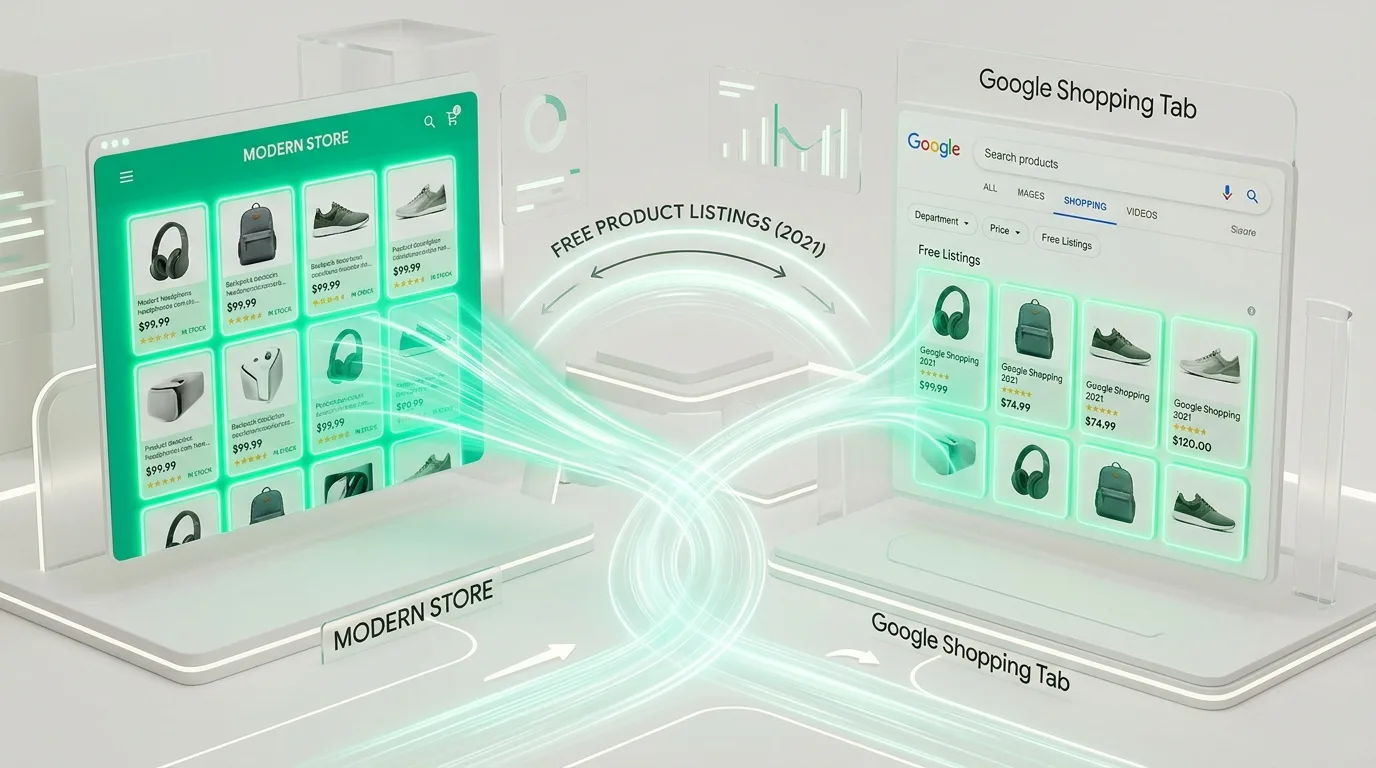
A historical analysis from August 2021 regarding the launch of Google's free product listings. Today, Google Shopping and Merchant Center feed optimization are indispensable e-commerce channels. Learn more about our e-commerce development and Google Ads services.
Key Takeaways
- Free E-commerce Presence: Products can appear in the Google Shopping tab without advertising costs using the Google Merchant Center Free Listings program.
- Product Feed: The foundation is a correctly structured XML or API product list containing prices, availability, images, and unique GTIN/EAN codes.
- Synergy with Paid Ads: By combining free listings with Google Shopping ads, an e-store can occupy multiple spots in search results simultaneously.
- Fast Setup: Popular platforms like WooCommerce and Shopify offer ready-made plugins that synchronize your catalog with Google servers in just a few hours.
Most e-commerce owners are accustomed to the idea that every visitor from Google must be bought through paid ads or earned through long-term SEO optimization. However, in 2021, Google radically expanded opportunities for e-commerce by launching Free Product Listings in the Google Shopping tab and image search worldwide.
This means a company no longer necessarily has to spend thousands of euros in advertising budgets for its products to appear with images, prices, and availability directly in the top rows of the search engine. All that is required is a properly configured Google Merchant Center account and a high-quality product feed.
How do Free Listings work and where do products appear?
Free product listings are not the same as standard text links in Google's organic search results. They are visual product cards that provide the user with all the necessary purchase information:
- Google Shopping Tab: The primary place where users filter products by price, brand, and specifications. Here, most results are free listings (paid ads occupy only the top row).
- Google Images: Product photos are tagged with a small "Product" badge featuring real-time pricing and a link to the e-store cart.
- Main Search Page (Google Search): For specific product queries, Google increasingly includes visual product carousels in organic results.
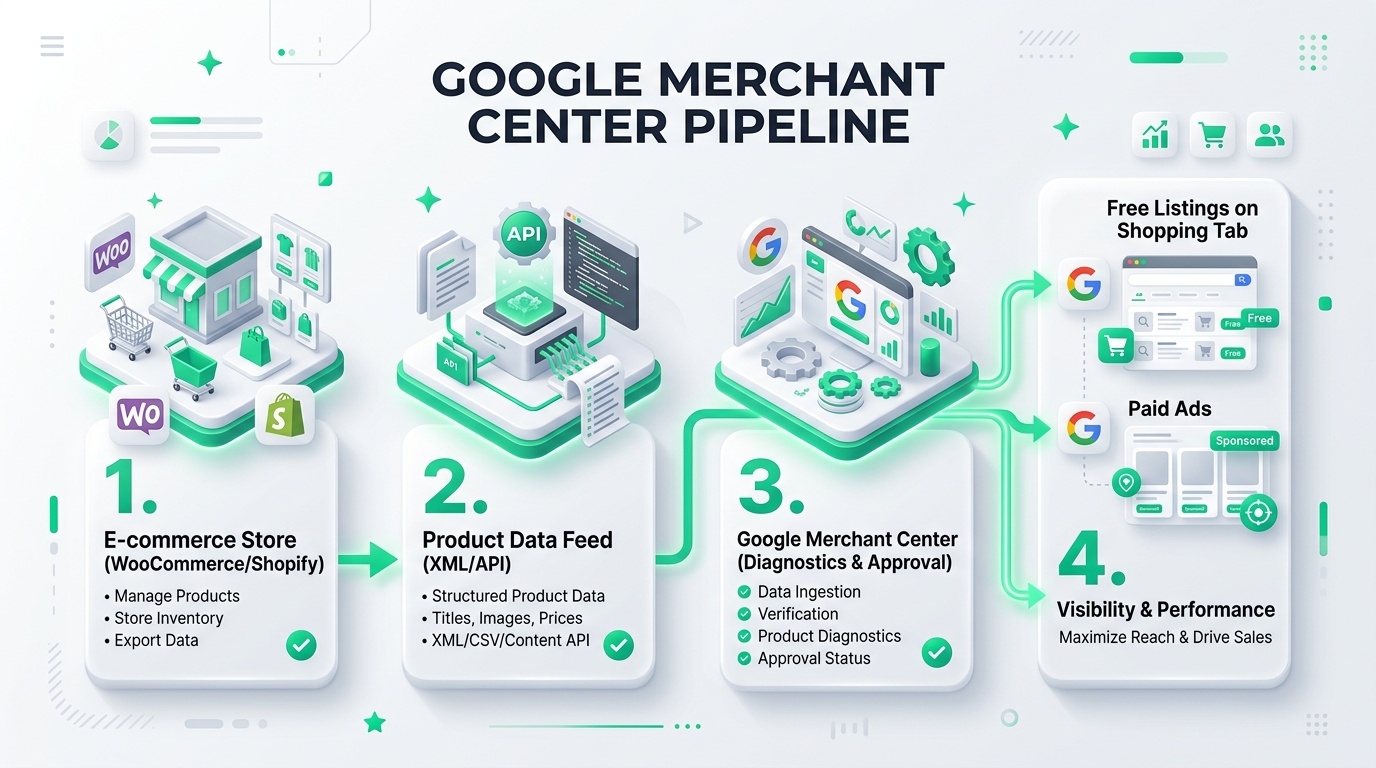
What is required to qualify for free listings?
Google strictly monitors shopper safety, so to receive approval for a Merchant Center account, an e-store must meet clear requirements:
- Complete Shipping and Return Policy: The site must clearly describe delivery times, costs, and a 14-day return procedure.
- Secure Checkout (HTTPS): From opening the cart to payment confirmation, everything must occur via an encrypted SSL connection.
- Unique Product Identifiers (GTIN / EAN / MPN): For mass-produced goods, international barcodes (EAN/GTIN) are mandatory. This allows Google to recognize the product and add it to the comparison catalog.
- Price and Availability Accuracy: The product price and availability status in the data feed must exactly match the price on the e-store page. Any discrepancy leads to account suspension.
Official Video: Google explains free Shopping listings
Watch the official video from the Google for Retail team on how merchants can use free Shopping listings to increase their revenue:
How to connect free listings with paid campaigns?
The smartest merchants do not choose between "only free" or "only paid." The power lies in synergy:
- Free listings for the entire catalog: Send your full product catalog to Google Merchant Center (even for less popular or rare items). This will provide organic traffic for long-tail queries at no additional cost.
- Paid ads for top performers: Simultaneously run Google Shopping ads for your best-selling and most profitable products to ensure maximum sales volume.
- Data organization and optimization: Include the brand, model, color, and size in product titles. This will increase impressions in both free and paid channels.
Technical preparation of the e-store
For the product data feed to run without interruptions, the e-store engine must be stable and fast. Ensure that your e-store development supports automatic real-time XML exports and meets modern speed requirements. If rejected products or inconsistent data appear in Merchant Center reports, it is worth performing a technical audit to organize structured data and fix errors before the autumn shopping season arrives.
Frequently Asked Questions (FAQ)
Do I have to pay Google for every click in the Free Listings section?
No. These clicks do not incur any cost-per-click charges. They function just like classic organic search results but are visually tailored for e-commerce with images, prices, and stock status.
Why does Google reject my products in Merchant Center?
The most common reasons are: missing or incorrect GTIN/EAN codes, price discrepancies between the XML feed and the website, low-quality images (with watermarks or text overlays), or unclear shipping and return policies on the e-store.
How often should the product feed be updated?
The standard requirement is at least once every 30 days, but for an active e-store, it is recommended to implement automatic synchronization once a day or even in real-time using the Content API. This ensures that sold-out items or price changes are immediately reflected in search results.
Do free listings require a Google Ads account?
No, for free listings alone, a Google Merchant Center account is sufficient. However, if you wish to run paid Shopping ads or future Performance Max campaigns, linking both accounts will be necessary.
Planning to integrate your e-store products into Google Merchant Center and Shopping channels?
Book a 15-minute consultation. We will help you correctly configure product feeds, attributes, and campaign structures.
Fixed budget. No hidden fees or forced services.