
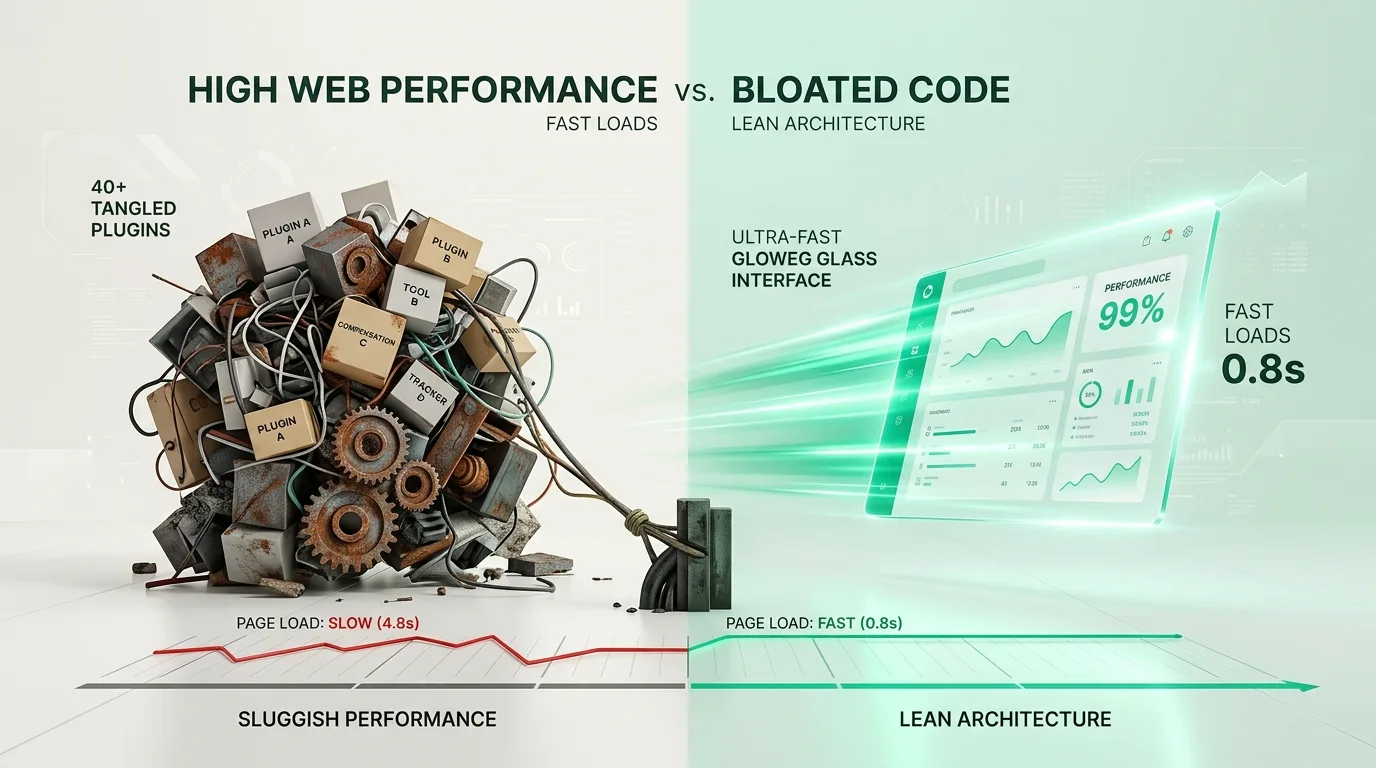
A historical analysis of the problems plaguing bloated WordPress sites. At MarketMeNow, we completely eliminate unnecessary plugins and heavy visual builders in our builds, achieving load times under 400ms and 99-100 PageSpeed scores. Learn more about our website development and speed optimization services.
Every business owner wants a beautiful, modern website where professional website development guarantees stability. However, the path taken to get there often resembles a dangerous trap: a universal multi-purpose theme is selected, a visual page builder is installed, and for every minor requirement (sliders, contact forms, animations, testimonial blocks), a separate plugin is added. By the time the site is ready, it is running 40 or even 50 plugins. The result? The site takes 5 seconds to load on a mobile device, and the customer has long since left for a competitor.
Key Takeaways
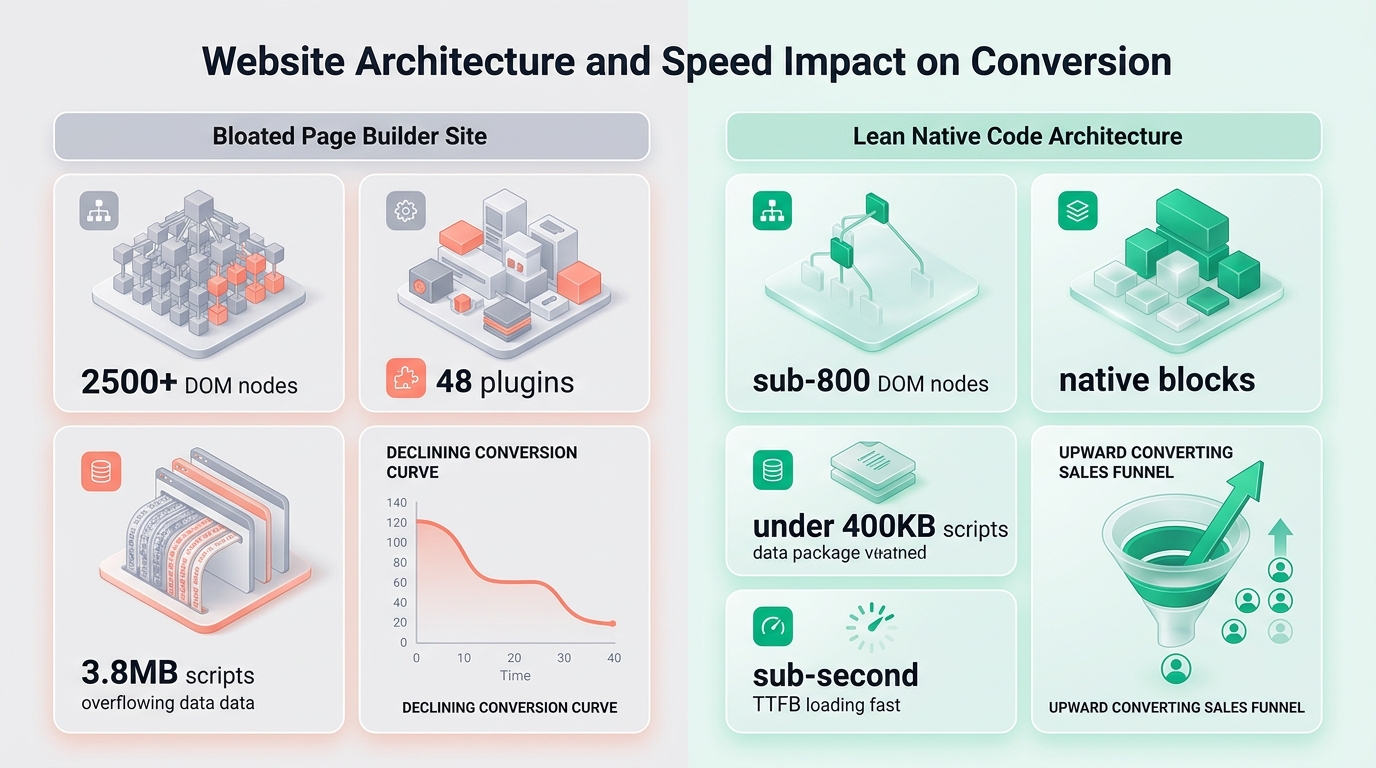
- Hidden impact on sales: Every additional second of mobile page load time reduces your conversion rate by an average of 15-20%.
- DOM tree overload: Heavy visual builders generate thousands of redundant HTML containers, causing mobile phone processors to literally choke.
- Plugin conflicts and security: Each new plugin creates additional database queries, increases JavaScript volume, and opens new security vulnerabilities.
- Clean code architecture: Transitioning to lightweight themes, native Gutenberg blocks, and server-side optimization allows for sub-second load speeds.
How plugins slow down your site and how website speed optimization helps
The problem is not the WordPress platform itself. The core of WordPress is incredibly fast and lightweight. The problem arises when visual builders and dozens of third-party plugins are used, each loading its own CSS styles, JavaScript libraries, and fonts into the site code:
- Massive DOM node count: Universal builders generate 6 to 10 nested
<div>layers just to display simple text. The total number of DOM elements often exceeds 2,500, violating all Google Core Web Vitals best practices. - Render-blocking scripts: The browser cannot begin rendering content until all plugin scripts are downloaded and processed. The page remains blank for 2-3 seconds after the click.
- Overloaded database: Many plugins perform dozens of redundant SQL queries every time a page is opened, resulting in high server response times (TTFB).
Speed is a matter of profit, not a programmer's whim
A slow website is the most expensive item in your marketing budget. You can create an excellent advertising campaign on Google Ads or Facebook and pay for every click, but if a visitor on a mobile device encounters a slow load, they will hit the "Back" button before the page even finishes loading. That is direct money burning.
Code cleanup: website modernization and restoration involves using a clean theme architecture, building custom blocks without unnecessary code layers, optimizing images in the modern WebP format, and maintaining only those plugins that perform a critical business function.
Google Chrome engineers' study on the impact of Core Web Vitals on business
Watch the official Google Chrome Developers video from the Google I/O conference on how website performance optimization directly increases company revenue and reduces user bounce rates:
FAQ about optimization (as highlighted in our guide on website load speed as an SEO factor):
What is the optimal number of active plugins for a WordPress site?
There is no universal number, but for a healthy corporate site, the optimal range is 10-15 well-written plugins. If the count exceeds 30-40, you will almost always observe a significant performance drop and plugin code duplication.
Can a caching plugin fully solve the problem of a slow theme?
Caching helps the server deliver the prepared HTML file faster, but it does not solve the issues of an overloaded DOM tree, large JavaScript file volumes, and heavy styles in the user's browser. Real speed starts with cleaning up the code and design at the foundation.
How can I check which plugins are slowing down my website the most?
This can be easily diagnosed using tools like Query Monitor (for analyzing database queries and code execution time) and the Chrome DevTools Coverage tab, which shows what percentage of the code loaded by each plugin is actually being used.
Is your website suffering from unnecessary plugins and slow loading?
Book a 15-minute consultation. We will perform a performance diagnostic and offer a lightweight, fast, and reliable solution.
Fixed budget. No hidden fees or forced services.