
In 2026, loading speeds must meet the Doherty 400ms threshold, where clean code and server-side caching completely outperform heavy plugins. Learn more in our Website Speed Optimization guide.
Slow website response times and server lag are the primary reasons visitors abandon a site before content even loads. While most websites still rely on the outdated TCP/HTTP/2 protocol and heavy caching plugins, modern server architecture focuses on HTTP/3 (the QUIC protocol) and direct FastCGI RAM microcaching. In this article, we explain how to achieve a Server Response Time (TTFB) below 150ms and ensure monolithic cybersecurity.
Why HTTP/3 and the UDP Protocol Outperform the Old TCP Connection
Traditional HTTP/2 uses a TCP connection, which requires a Three-Way Handshake before any data transmission can begin. On mobile networks, even a single packet loss stalls all other data traffic (Head-of-Line Blocking). HTTP/3 uses the QUIC protocol over UDP, providing an instant connection (0-RTT) and independent data streams.
As we emphasize in our professional web development and server architecture services, correct server configuration allows your site to open instantly even under weak mobile internet conditions.
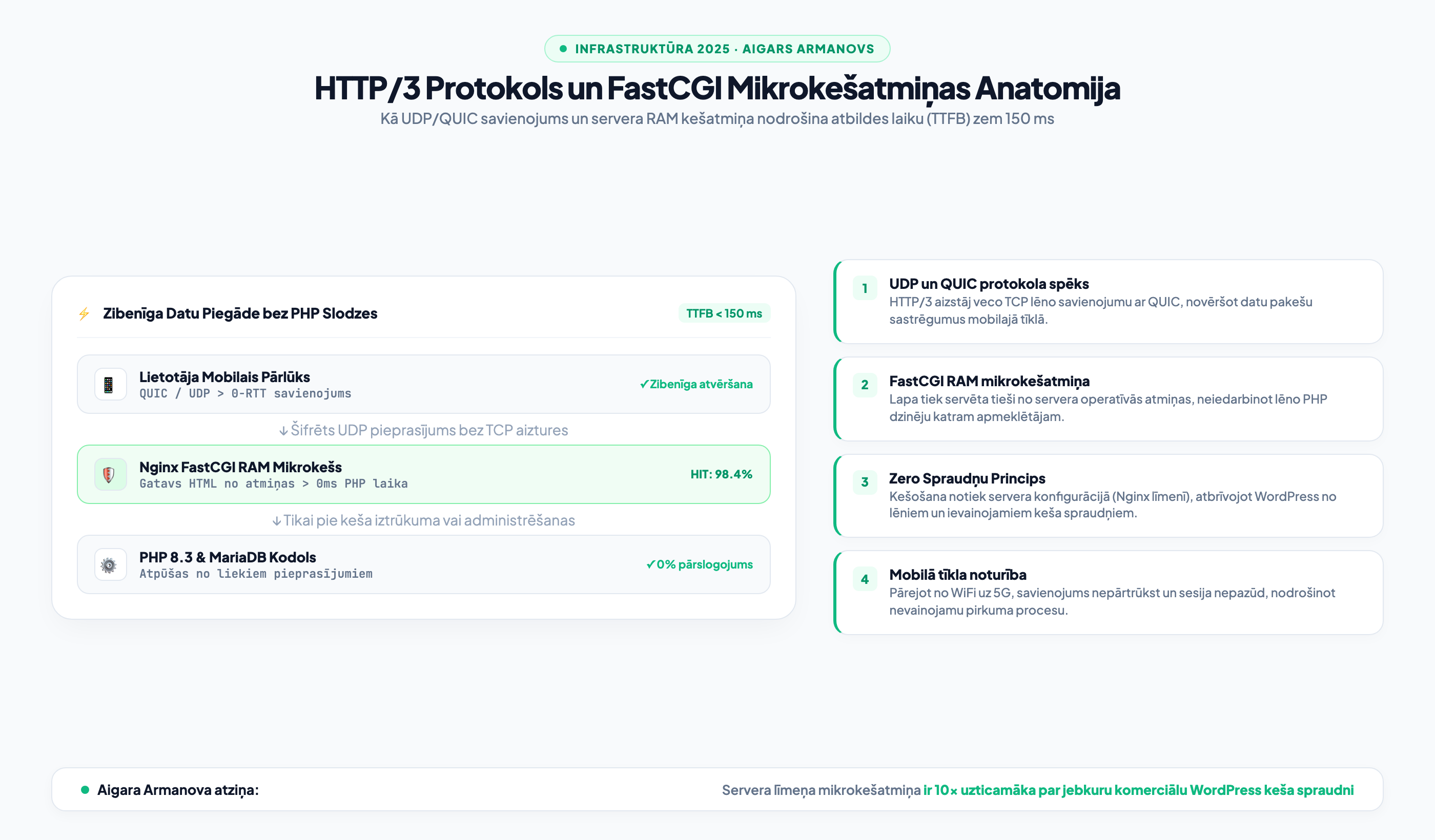
FastCGI Microcache: Static Speed Power for Dynamic Content
In a standard WordPress installation, every visitor click triggers the PHP processor and executes dozens of database requests. With Nginx FastCGI microcaching, the page HTML code is stored in server RAM for a few seconds or minutes. As a result, the server can handle thousands of simultaneous visitors with zero latency.
If your existing site is overloaded with redundant tools, structured website code and infrastructure modernization allows you to eliminate vulnerable plugins and shift caching to the server level.

"Most companies try to speed up their website with three different caching plugins, which only increases server load and creates security vulnerabilities. True speed comes from server configuration: Nginx FastCGI RAM microcaching and the HTTP/3 protocol deliver sub-100ms response times without any plugins at all."
Security Parameters and Attack Protection
As we detailed in our study on Core Web Vitals optimization and code cleanliness, server speed directly correlates with security policy. By implementing strict HTTP security headers (Content-Security-Policy, HSTS, X-Frame-Options) and rate-limiting rules, your website is protected against brute-force attacks and malicious bots.
- TTFB Metric: Use PageSpeed Insights to verify that your mobile Server Response Time is below 200 ms.
- HTTP/3 Support: Test your website with an HTTP/3 checker tool to confirm browser QUIC protocol capability.
- Cache Plugin Audit: Ensure that multiple conflicting caching plugins are not running simultaneously on your site.
Frequently Asked Questions About HTTP/3 and Server Caching
Why is HTTP/3 especially important for mobile users?
On mobile phones, users constantly switch networks (from WiFi to 4G/5G). With old TCP connections, this requires a complete connection drop and a new handshake. HTTP/3 with QUIC preserves the session via connection IDs without latency.
Does FastCGI microcaching affect e-commerce cart and checkout functions?
No. With correct configuration, the shopping cart, customer profile, and checkout pages are automatically excluded from the cache, maintaining dynamic data exchange while public product and category pages are served at lightning speed.
How complex is it to implement HTTP/3 and FastCGI on an existing server?
On a modern Linux VPS with an Nginx or Caddy server, configuration takes just a few hours and requires no changes to your daily WordPress content management routine.
Want blazing-fast page loading and a green Google PageSpeed score?
Book a 15-minute consultation. We will perform a detailed code and server audit, freeing your site from lagging plugins and bloated libraries.
Fixed budget. No hidden fees or forced services.