

A search terms audit is daily hygiene: Google increasingly hides some queries in the name of privacy, making negative keyword additions from real clicks and clear match type control your only barrier against wasted budget. Explore our Google Ads management services.
One of the biggest surprises for business leaders who peek inside the depths of their Google Ads account is discovering what people who actually clicked on their ads were searching for. If your keyword is 'accounting services', you might be surprised to find that you have paid for clicks with queries like 'how to become an accountant', 'free distance learning accounting courses', or 'accounting law with amendments'. This is where massive budget leakage occurs, which regular search term audits prevent.
Key Takeaways
- Keyword vs Search Term: A keyword is what you enter into a campaign, while a search term is what a real person typed into Google; these two things often differ dramatically.
- Broad Match Risks: Google's smart bidding aggressively pushes advertisers toward broad match, which without strict query control tends to divert up to 30-40% of the budget to irrelevant topics.
- Weekly Sifting Ritual: A regular 20-minute audit of the search terms report allows you to uncover new negative words while simultaneously finding new high-profit niches.
- Profitability Growth: By eliminating empty clicks, the exact same advertising budget is channeled toward real buyers, automatically raising the campaign's average ROAS.
Why the Search Terms Report Matters and How Digital Advertising and Budget Protection Monitor It
Within the Google Ads platform, there is a fundamental conceptual distinction between two terms:
Keyword: The phrase you have added to your ad group to signal to the algorithm which topics you want to participate in auctions for.
Search Term: The actual text string entered by the user into the Google search bar that triggered your ad to appear.
Ever since match expansion (which we covered in the guide on keyword research before Google Ads or SEO) and the interpretation of broad match syntax, the system permits very wide synonym variations. If you do not check the Search Terms report at least once a week, your money quietly drains away on empty searches.
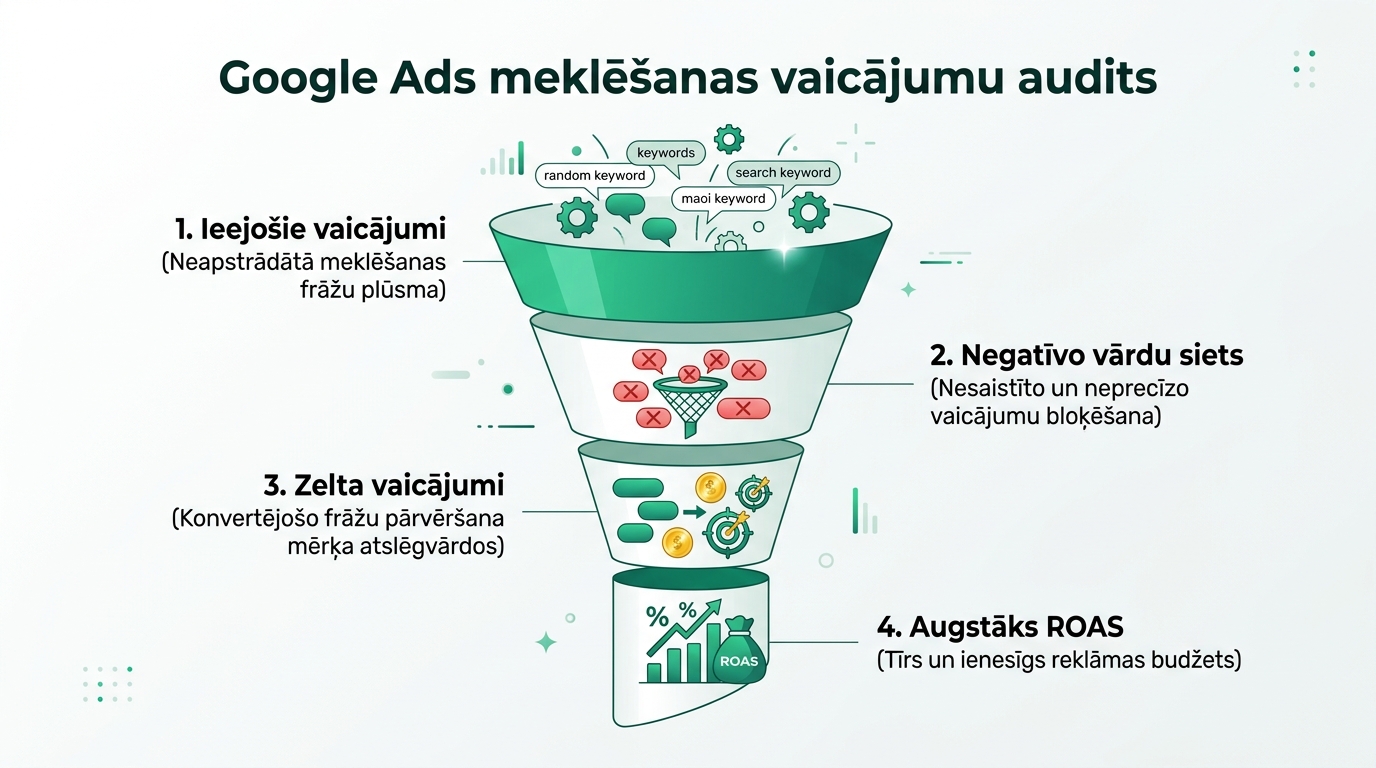
Step-by-Step Four-Step Audit Methodology
To perform a quick and effective review, open Google Ads and navigate to Campaigns -> Keywords -> Search Terms:
1. Filter Queries by Cost Without Conversions: Set a filter: Cost > 10 EUR and Conversions < 1. You will immediately see the specific queries that have 'eaten up' the most money without any result. Flag them and add them as negative keywords in phrase match.
2. Search for Systematic Garbage Words: Unwanted clicks often contain the same key elements: 'how to do it yourself', 'home repairs', 'cheap', 'used', 'reviews', 'forums', 'job offers'. Add these individual words to your account-level negative keyword list.
3. Identify 'Golden Queries': Reverse the filter: Conversions >= 2 and Low CPA. You will uncover highly specific long-tail queries that buyers use right before making a purchase. Extract these phrases from broad match and add them as separate exact match keywords with an increased bid.
4. Check Geographic Irrelevant Queries: If your service only operates in Riga and Jelgava, but the report shows clicks with words like 'Daugavpils', 'Liepaja', or 'Ventspils', add all other cities to your negatives.
Negative Keyword Level Architecture
To prevent chaos in the account, negative keywords must be divided into three clear levels:
| Level | Where Added | Application | Examples |
|---|---|---|---|
| Account Level | Account Settings | Global garbage for all campaigns | work, salary, vacancy, free, torrent, report |
| Campaign Level | Campaign Negatives | Specific restrictions for a concrete direction | children (if the campaign is strictly for adult clothing) |
| Ad Group Level | Ad Group | Prevention of cannibalization between ad groups | specific model name present in another ad group |
Conclusions for Increasing Budget Efficiency
Search term reviews are a regular step that we include in every technical SEO audit. By dedicating just 20 minutes every Monday to this task, you will protect at least 15 to 25 percent of your monthly advertising budget, which you can redirect toward scaling truly profitable campaigns.
Frequently Asked Questions
How often should a Search Terms report audit be performed?
For active campaigns with budgets over 30 EUR per day, audits should be performed weekly. For smaller campaigns, once every two weeks is sufficient.
Why doesn't Google show all search queries?
Due to privacy policies, Google hides queries with very low search volume (the so-called 'Other search terms'). However, the vast majority of spend and conversions are always visible in the report.
What match type is best to use for negative keywords?
For most terms, it is best to use Phrase match ("phrase") or single-word Broad match to block all variations.
Can adding negative keywords reduce the number of good clicks?
Only if you mistakenly add a term that is too broad. Always carefully verify whether a negative word is part of your most popular converting query.
Want to protect your Google Ads advertising budget from inefficient searches?
Request a 15-minute account review call. We will perform a search term review and clean up your negative keyword lists.
Fixed budget. No hidden extra fees or forced services.